Installing Mura CMS: an Open Source ColdFusion Content Management System

If you haven't heard about Mura CMS yet, then you probably haven't been looking for a ColdFusion-powered content management system (CMS). The best part about Mura CMS is that fact that it's open source. Yep, that means free!

After poking around and actually building, then launching a site driven by Mura CMS, I became pretty hooked. So to help other developers who might be considering Mura CMS, I threw together a quick video tutorial on installing Mura.
Installing Mura CMS

As you can see, it's most definitely not rocket science. If you have any questions or suggestions, please don't hesitate to let me know!

Peace.

Will Work for Guitar!

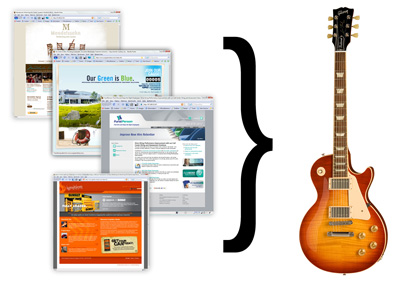
Here's the deal ... I will build you a ColdFusion + Mura CMS powered web site and all you have to do is buy me a guitar. Now, not just any guitar of course! One guitar in particular that's been on my wish list is a Gibson Les Paul. If you have one, or something of similar value, let me know! I'm sure we can work something out. Need to see some of my recent work? No problem. I've blogged about several of my web site projects.

Inspired by Kyle MacDonald and his "one red paperclip," I'm sure somebody out there needs a quality-built web site that they can have full editing capabilities of and is willing to make a trade.

Interested? Let's talk!

Multiple ColdFusion Sites on IIS Without Apache!

Occasionally, I stumble across claims about what a pain it is to setup multiple ColdFusion sites for a local development environment under IIS or even worse, that it just can't be done. This is flat out false. It's actually quite simple to get set up, and I'll show you two (2) different methods to do this.

The first option is to simply use a unique port with your localhost. So that for example if you navigate to http://127.0.0.1:81, you can view your site. You could then have another site under port 82 and so on. I've even included a short video tutorial to show you how to do this below:

Option 1

As you can see, it's quite easy! However, if you're developing more than a few web sites, it can be difficult to remember which site is on what port. So let's take a look at my preferred method.

Our second option is to modify your "hosts" file and then add a header in IIS for your site. Your header can be anything you like. However, I usually use the domain name along with ".loc" or ".local" to keep things unique. So, when I view the site in my browser, the URL would look like "www.mydomain.loc" or something like that. To see how to set this up, view the video tutorial below:

Option 2

And that's it! I certainly hope this has helped someone get going on IIS with ColdFusion.

Peace.

More Entries

© 2026, Stephen J. Withington, Jr.  |  Hosted by Hostek.com

Creative Commons License   |   This work is licensed under a Creative Commons Attribution 3.0 Unported License.